Most Honhaar applications do not fail because the student is ineligible. They fail because a document is missing, unclear, or mismatched, or because a submitted form is never properly checked again. This Honhaar Scholarship Phase 4 Documents and Application Status 2026 article covers the full document list, the application tabs in order, how to check status, and how to correct a problem, so that a small error does not become a rejection.
The application is submitted online only, through the official portal, before the confirmed deadline of 9 November 2026. There is no hard-copy submission and no application fee. Saving a form is not submission. Only a formally submitted application, with a saved application number and confirmation, counts as applied.
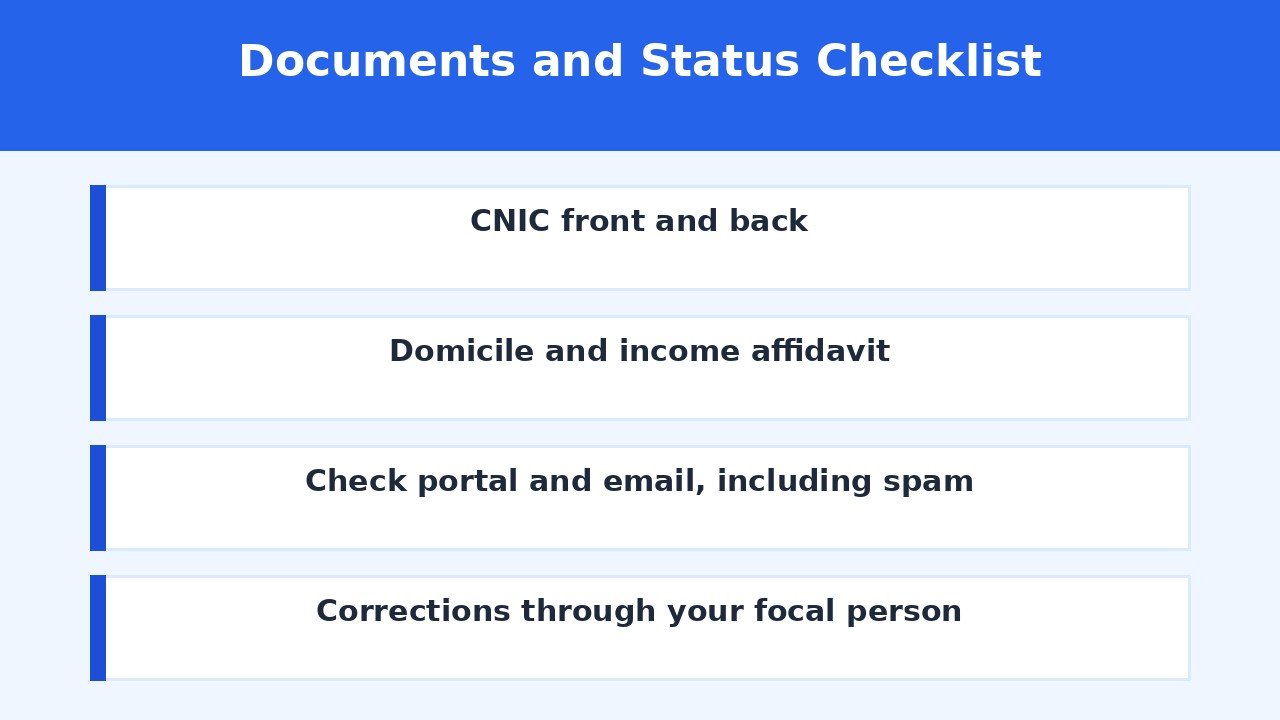
Documents Required
The portal document list is specific, and each item has a purpose. Prepare all of them before you start the form, rather than searching for a certificate halfway through.
| Document | Purpose |
|---|---|
| CNIC front side | Identity of the applicant |
| CNIC back side | Identity of the applicant, second side |
| Matriculation certificate or O-Level equivalence | Earlier academic record and merit for new students |
| Intermediate certificate or A-Level equivalence | Academic eligibility for new students |
| Punjab domicile certificate | Confirmation of provincial eligibility |
| Income affidavit | Proof of family income, on e-stamp of at least Rs 50 |
| Latest CGPA or relevant result | Academic record for continuing students |
| Official portal | honhaarscholarship.punjabhec.gov.pk |
Name consistency: check that names are spelled the same way on all documents, and that marks are entered exactly as they appear in the official record. Do not round marks up, and do not enter an expected result as a final result.
Domicile under process: if the domicile certificate is under process, the portal allows the domicile application slip to be provided as required by the portal. Do not leave the domicile section blank on the assumption that it can be added later without a process.
Equivalence certificates: students from the O-Level or A-Level system should provide the required equivalence certificate. Check the portal instruction for your system before submitting, rather than uploading a result sheet alone.
Legibility rule: every uploaded document must be legible, accurate, and complete. A blurred, cropped, or shadowed scan is an incomplete document for verification purposes, even if the original certificate is valid.
Also Read: Honhaar Scholarship Phase 4 2026: Income Affidavit Guide

Application Tabs in Order
The portal application is organised in tabs, and following them in order reduces errors. The tabs shown in the portal tutorial are Eligibility, Personal Detail, Address, Education, Documents, and Review.
Account creation: create an account with nationality, province, institute type, university, CNIC, phone number, email, and password, as the portal asks. If your CNIC already exists, do not create another account. Sign in to the existing account instead.
Login: log in with your CNIC as the username, without spaces or dashes, plus your password and the captcha code shown. Keep your password safe, and never hand CNIC details, passwords, or original documents to an unofficial agent.
Eligibility tab: read the eligibility step first, including the sample affidavit download, and confirm your category, institution, discipline, and income limit before entering other details.
Personal, address and education tabs: enter personal details, address, and education exactly as they appear in your documents. For new students, enter Matric and Intermediate marks. For continuing students, enter current semester details and the latest CGPA or result that the portal asks for.
Documents tab: upload each document in its correct section, and check after each upload that the file has attached and that any preview is readable.
Review and submit: recheck every entry, then press Submit. Save your application number and keep a record of the confirmation message or status. Merely saving the form is not submission.
Open Application — Official Portal
Also Read: Honhaar Scholarship Eligibility Criteria Phase 4 2026
How to Check Application Status
The Honhaar Scholarship Phase 4 Documents and Application Status 2026 check should be done through the official portal, the email address given in your application, and your institution. Status updates come through the email provided, the portal, or the institution, and applicants should check email regularly, including the spam or junk folder.
Step 1: log in to the portal and open your application status. Note the status exactly as shown, and save a copy.
Step 2: check your email, including spam, for any verification query or instruction from the portal or your institution.
Step 3: if a query asks for a clearer document or a correction, respond promptly. A verification message left unanswered because a phone number or email changed can become an avoidable problem.
Step 4: confirm the status with your institution’s focal person if the portal status is unclear. The focal person is involved in verification and is the right source for a category-specific explanation.
Also Read: Honhaar Scholarship Merit List Phase 4 2026: How to Check and Selection Process
How to Correct a Problem
Before submission: correct any error in the form itself, recheck the document uploads, and only then submit. This is the easiest stage to fix a mistake.
After submission: contact your institution’s designated focal person promptly. Do not create a second account or use incorrect CNIC details to get around an existing application.
After focal person rejection: if a correction opportunity is officially provided after rejection, correct and resubmit within the prescribed time. Follow only the instruction given through that official route.
Programme not listed: select a discipline from the portal dropdown. If your programme is still not listed, contact your focal person rather than selecting a similar programme name.
Result pending: enter the available information accurately and consult your focal person before submitting, rather than entering an expected result as final.
Registration or roll number: enter it as permitted by the portal, with valid proof of enrolment. If the portal does not accept a format, ask your focal person instead of inventing a number.
Also Read: Honhaar Scholarship Phase 4 2026: Continuing Students Guide (2nd Semester Onward)
Conclusion
The Honhaar Scholarship Phase 4 Documents and Application Status 2026 process rewards preparation. Gather CNIC front and back, academic certificates or equivalence, domicile, affidavit, and the latest result for continuing students, check name and figure consistency, upload clear copies in the right tabs, review, and submit before 9 November 2026. After submission, check the portal and your email including spam, respond promptly to any query, and use your focal person for corrections. That discipline is what turns a complete form into a verifiable application.
Frequently Asked Questions
Is a hard copy required?
No. Online submission through the portal is required, and no hard copy is needed.
What if my CNIC account already exists?
Do not create a second account. Sign in to the existing account and check its status.
What if my domicile certificate is under process?
Provide the domicile application slip as required by the portal, and confirm with your focal person.
Can I correct my form after submission?
Contact your focal person promptly. If an official correction opportunity is provided, correct and resubmit within the prescribed time.
How will I get status updates?
Through the email given in your application, the official portal, or your institution. Check spam as well.
Does saving the form mean I have applied?
No. Only formal submission through the portal, with confirmation saved, counts as applied.

Shahzad Sahil is the editor of 10thclassresultcheck.pk, covering 10th class results for BISE boards across Pakistan, with information verified from official board sources for students.
Latest Articles